Google Discover vs Google Search: Where Should Your Content Strategy Focus in 2026?
You’ve probably had this moment: you check Google Search Console, expecting to see traffic from the keywords you spent hours optimizing for, and instead you find a huge spike from something called “Discover.” No keyword. No obvious reason. Just… traffic, out of nowhere.
That’s the moment most freelancers and small business owners realize Google Search and Google Discover are not the same thing wearing different names. They’re two separate systems, built on different logic, and they reward different kinds of content.
This isn’t another definitions post. You’ll get the real differences, how to check which one is actually working for you, and a framework for deciding where to put your limited time and energy.
What Is Google Search?
Google Search is the part everyone already understands: someone types a question into the search bar, and Google returns a ranked list of pages that best answer it. It’s pull, not push. The user has to want something specific enough to type it.
Because Search is built around matching intent to content, the ranking factors are the ones you’ve heard 100 times: relevant keywords, solid on-page structure, backlinks, page speed, and mobile usability.
Why this matters long-term: Search traffic compounds. A post about “how to register an LLC in Texas” can bring traffic 5 years later because people keep typing that question.
What Is Google Discover?
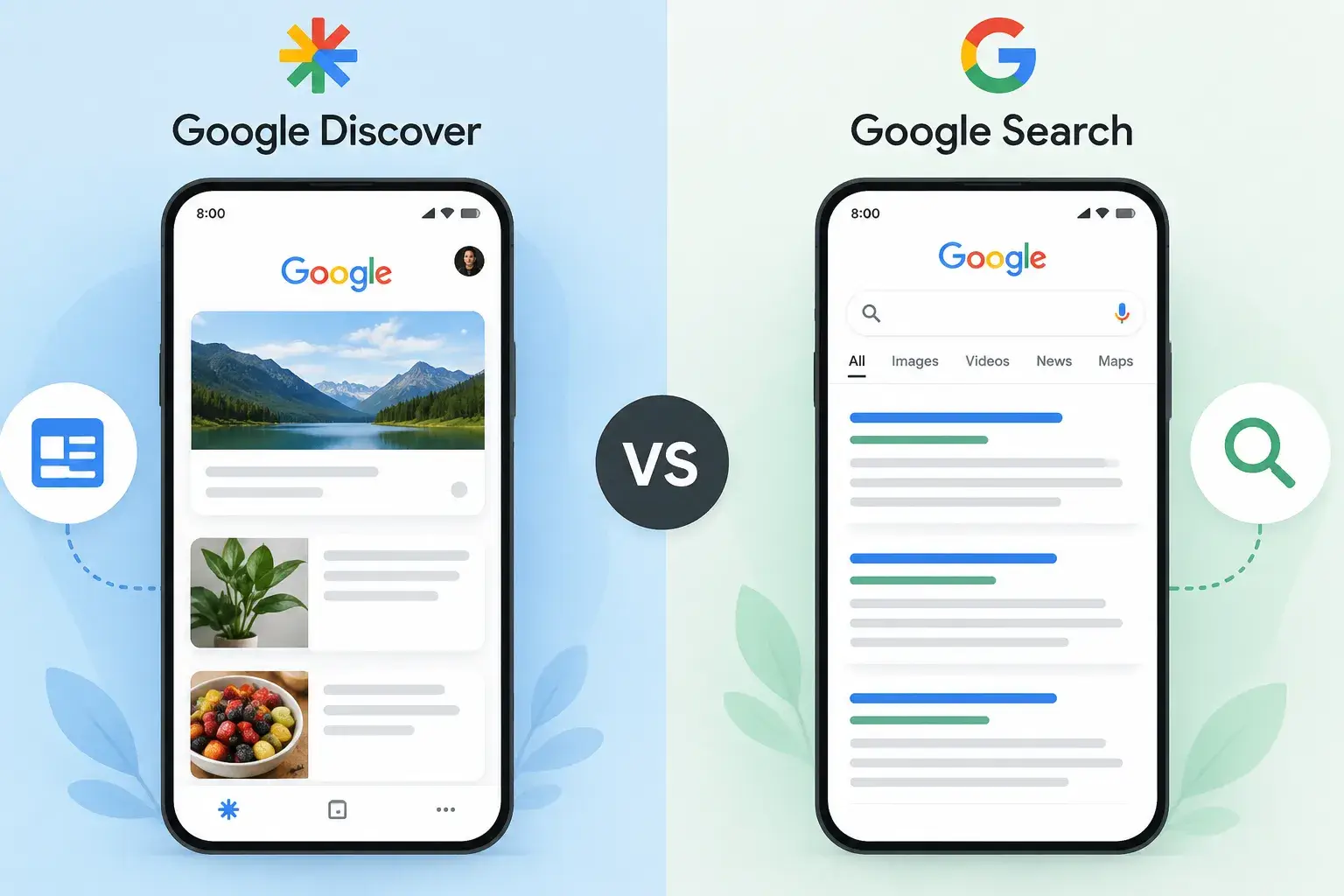
Discover flips the model. There’s no search box. Google looks at your behavior — past searches, sites you visit, location — and proactively feeds you articles it thinks you’ll want. You’ll find it in the Google app, Chrome new tab, and Android home screen swipe.
Key surprise: No special markup needed. If it’s indexed and follows Discover policies, it’s automatically eligible. Very different from Search where you earn rankings.
Feb 2026 Update: Google rolled out its first Discover-specific core update. It rewards locally relevant content, cuts clickbait, and favors original in-depth pieces from sites with topic authority.
Google Discover vs Google Search: Key Differences at a Glance
| Google Search | Google Discover | |
|---|---|---|
| Triggered by | A typed query | User interests & behavior, no query |
| Main ranking signals | Keywords, backlinks, technical SEO | Freshness, images, topical consistency, E-E-A-T |
| Content lifespan | Can drive traffic for years | Peaks and fades within days |
| Predictability | Relatively stable once ranked | Volatile — can spike or vanish |
| Device | Desktop + mobile | Almost entirely mobile |
| Personalization | Same result for similar queries | Different feed for every user |
“Search titles need to match what someone typed. Discover titles need to earn a stop-scrolling reaction.”
Real Example: Bakery blog
Search: Best Sourdough Starter Recipe for Beginners
Discover: I Killed Three Sourdough Starters Before I Figured This Out
Which One Sends More Traffic in 2026? (The Data)
Discover’s share of total Google referral traffic has grown substantially. Traditional Search traffic is shrinking as a share because AI Overviews answer more queries on-page.
But it depends on niche:
- Discover Heavy: Tech, gaming, travel, news. Can be 40-50% of Google traffic.
- Search Heavy: Food, recipes, local services, B2B. People search with intent.
If you’re a freelance designer → Discover matters. If you’re a plumber blogging “how to unclog a drain” → Search will do the heavy lifting.
How to Check Your Discover Performance in Google Search Console
- Open Google Search Console and select your property.
- Left sidebar → Performance. Look for separate Discover tab next to Search.
- Click it. You’ll see impressions, clicks, CTR for feed appearances.
- Click into individual pages to see which posts are getting picked up.
Don’t see Discover tab? Your site hasn’t crossed the minimum impression threshold yet. Common for newer sites.
Do You Need Different SEO Strategies for Each?
Not two separate strategies — but deliberate choices per piece.
For Search:
- Research exact phrase audience types
- Structure headings around it
- Build solid backlinks
- Fast page speed
For Discover – 3 Things Matter More:
- Images: Large, original, 1200px+ wide. No stock photos or logos.
- Topical consistency: Cover one lane consistently. Freelance finance > freelance + recipes + cars.
- Timeliness: Leans fresh. Update evergreen guides with new stats + republish date.
Overlap: Both reward useful content, E-E-A-T, and fast mobile experience.
When Google Discover Can Hurt You (Myths & Failure Cases)
Excluded content: Job listings, forms, petitions, code repos, satire without context. No amount of optimization gets these into Discover.
It can disappear fast: Creators have seen millions of clicks drop to a fraction after a quality update. Don’t build your entire income on Discover.
Evergreen underperforms: Your “ultimate guide” from 2 years ago may rank in Search but barely register in Discover.
Google Discover vs Google Search: Which Should You Prioritize?
If you only remember one section, make it this:
How often can you publish?
Once/twice a month → Search. Weekly on timely topics → Discover becomes viable.
What’s your niche?
Tech, lifestyle, travel → Discover-friendly. Local services, B2B, transactional → Search wins.
What’s the goal?
Brand visibility → Discover. Qualified leads/conversions → Search.
How much time do you have?
Solo team → Build Search foundation first. It compounds. Layer Discover formatting later.
📈 Read More on Worthzio
FAQs
Where This Leaves You
Search and Discover aren’t rivals — they’re two different doors into the same house. Build the house well: useful content, real expertise, mobile-friendly site. Both doors start opening.
The mistake isn’t picking the “wrong” one. It’s assuming they’re the same door.