Google Discover vs Google Search

Google Discover vs Google Search: Where Should Your Content Strategy Focus in 2026?

You’ve probably had this moment: you check Google Search Console, expecting to see traffic from the keywords you spent hours optimizing for, and instead you find a huge spike from something called “Discover.” No keyword. No obvious reason. Just… traffic, out of nowhere.

That’s the moment most freelancers and small business owners realize Google Search and Google Discover are not the same thing wearing different names. They’re two separate systems, built on different logic, and they reward different kinds of content. Confuse the two, and you’ll waste time optimizing for the wrong signals.

This isn’t another definitions post. You’ll get the real differences, how to check which one is actually working for you, and more usefully a framework for deciding where to put your limited time and energy.

What Is Google Search?

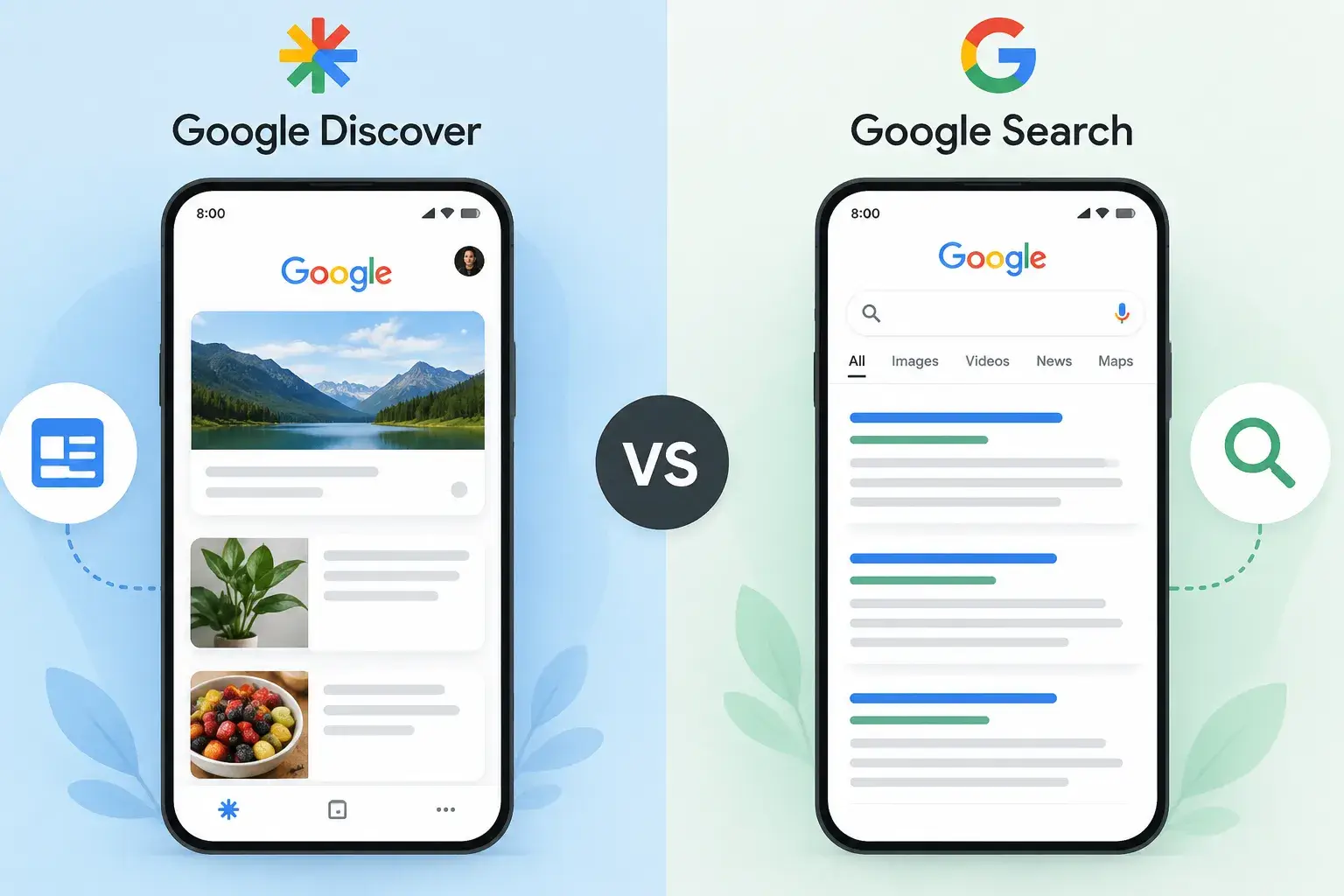
Google Search is the part everyone already understands intuitively: someone types a question or phrase into the search bar, and Google returns a ranked list of pages that best answer it. It’s pull, not push. The user has to want something specific enough to type it.

Because Search is built entirely around matching intent to content, the ranking factors are the ones you’ve probably already heard a hundred times: relevant keywords, solid on-page structure (titles, headings, internal links), backlinks that signal trust, and technical basics like page speed and mobile usability. None of that is new.

What’s easy to miss is why this matters long-term: Search traffic compounds. A well-optimized blog post about “how to register an LLC in Texas” can keep bringing in steady traffic two, three, even five years after publishing, because people keep typing that exact question into Google. That’s the quiet advantage Search has over Discover, and it’s the reason most sustainable content businesses are still built on Search first.

One more thing worth knowing going into 2026: Search itself is changing shape. AI Overviews and AI Mode now answer a growing share of queries directly on the results page, before a user ever clicks a blue link. That doesn’t erase the value of ranking well — Google still needs to source those AI answers from somewhere, and being cited or ranking well still matters — but it does mean “showing up in Search” looks a little different than it did three years ago.

What Is Google Discover?

Discover flips the model. There’s no search box involved. Instead, Google looks at your behavior — what you’ve searched for before, which sites you visit, your location, what you’ve engaged with — and proactively feeds you articles, videos, and posts it thinks you’ll want to see. You’ll find it in the Google app, on the Chrome mobile new tab page, and when you swipe right from an Android home screen.

Here’s the part that surprises a lot of small business owners: your content doesn’t need any special markup, tags, or submission process to show up in Discover. If it’s indexed by Google and follows Discover’s content policies, it’s automatically eligible. That’s very different from Search, where you’re actively working to earn rankings.

In February 2026, Google rolled out its first-ever Discover-specific core update — meaning it changed how Discover ranks content without touching Search rankings at all. The update leaned harder into locally relevant content, cut down on clickbait, and rewarded original, in-depth pieces from sites with a track record in their topic. The practical takeaway for you: a thin, generic post has less chance of surfacing here than it used to, even if it technically qualifies.

Google Discover vs Google Search: Key Differences at a Glance

Google SearchGoogle Discover
Triggered byA typed queryUser interests & behavior, no query
Main ranking signalsKeywords, backlinks, technical SEOFreshness, images, topical consistency, E-E-A-T
Content lifespanCan drive traffic for yearsTypically peaks and fades within days
PredictabilityRelatively stable once rankedVolatile — can spike or vanish suddenly
DeviceDesktop + mobileAlmost entirely mobile
PersonalizationSame result for similar queriesDifferent feed for every single user

The one difference that trips people up the most: headlines have to do two different jobs. In Search, your title needs to match what someone typed — clear, keyword-aligned, unambiguous. In Discover, your title is competing against dozens of other cards in a scrolling feed where nobody typed anything. It needs to earn a stop-scrolling reaction without tipping into clickbait (Google actively penalizes that now).

A real example: imagine you run a small bakery blog. “Best Sourdough Starter Recipe for Beginners” is a great Search title — it matches exactly what someone would type. But in a Discover feed, “I Killed Three Sourdough Starters Before I Figured This Out” has a better shot at pulling in a scroll, because it promises a story, not just an answer to a query nobody asked yet.

Which One Sends More Traffic in 2026? (The Data)

Here’s where most articles either go silent or hand-wave with “Discover can drive tons of traffic!” Let’s get specific.

Across publishers, Discover’s share of total Google referral traffic has grown substantially over the past couple of years, while traditional Search referral traffic has been shrinking as a share of the pie — partly because AI Overviews are answering more queries directly on the results page. That doesn’t mean Search traffic disappeared; it means Discover has become a much bigger slice of what Google sends publishers overall.

But — and this is the part that actually matters for your decision — that shift isn’t even across niches. Tech, gaming, and travel content tends to see a large portion of its Google traffic come from Discover, sometimes close to half. News sites see even more. Food and recipe content, on the other hand, tends to get very little from Discover and relies much more heavily on Search.

So if you’re a freelance graphic designer writing about design trends, Discover is probably worth real attention. If you run a local plumbing business blogging about “how to unclog a drain without chemicals,” you’re almost certainly a Search-dominant niche — people search for that exact problem, they don’t scroll past it for fun.

How to Check Your Discover Performance in Google Search Console

You don’t need a third-party tool for this. It’s already sitting in GSC, most people just never look.

  1. Open Google Search Console and select your property.
  2. In the left sidebar, look under Performance. If your site has had enough Discover impressions, you’ll see a separate Discover tab next to Search results.
  3. Click it. You’ll get impressions, clicks, and CTR — the same metrics as Search, but this time they reflect feed appearances, not query rankings.
  4. Click into individual pages to see which specific posts are getting picked up.

A quick, practical habit: don’t check this daily. Discover numbers swing hard day to day — a post can get 50 impressions on Tuesday and 12,000 on Wednesday for no visible reason. Check monthly, and look for pattern, not noise. If you notice one post format (say, “behind the scenes” posts, or seasonal guides) keeps reappearing in your top Discover pages, that’s a signal worth acting on.

If you don’t see the Discover tab at all, that’s not necessarily bad news — it usually just means your site hasn’t crossed the minimum impression threshold yet, which is common for newer or smaller sites.

Do You Need Different SEO Strategies for Each?

Not two entirely separate strategies — but you do need to make deliberate choices per piece of content.

For Search, keep doing what already works: research the actual phrase your audience types, structure your headings around it, build a few solid backlinks, and make sure your page loads fast.

For Discover, three things matter more than they do in Search:

  • Images. Use large, original images — Google recommends at least 1200 pixels wide. A stock photo or your logo won’t cut it; Discover actively avoids generic images.
  • Topical consistency. A blog that covers freelancing tips, then recipes, then car reviews is harder for Google’s systems to classify and match to a specific audience. A site that consistently covers one lane — say, freelance finance tips — builds a clearer identity Discover can confidently push to the right users.
  • Timeliness. Discover leans toward what’s relevant right now. A well-written evergreen guide can still show up, but it usually needs a refresh (updated stats, a new intro, a re-publish date) to catch a second wind.

Where they overlap is worth remembering too: both reward genuinely useful, well-written content from a credible source, and both care about your page loading fast and working properly on mobile. You’re not choosing between “good content” and “Discover content” — you’re choosing how to frame and package content that’s already good.

When Google Discover Can Hurt You (Myths & Failure Cases)

This is the section most guides skip entirely, and it’s the one that’ll save you from a bad strategy.

Discover isn’t a guaranteed channel — it’s a bonus one. Some content types are excluded from Discover by policy regardless of quality: job listings, forms, petitions, code repositories, and satire published without enough context to be understood at a glance. If your business content happens to fall into one of these buckets, no amount of optimization will get it into the feed.

It can disappear fast. There have been well-documented cases of creators seeing Discover traffic collapse from millions of monthly clicks down to a fraction of that almost overnight, following quality or spam-focused updates. If a chunk of your income depends entirely on Discover-driven ad revenue or affiliate clicks, that’s a fragile position to be in.

Evergreen content generally underperforms here. That “ultimate guide” you spent a month writing two years ago might rank beautifully in Search and still barely register in Discover, because Discover leans toward what’s fresh and currently relevant, not what’s comprehensive.

The honest takeaway: treat Discover as a supplemental layer on top of a Search-first foundation, not a replacement for it. Businesses that build their entire model around Discover traffic are building on sand.

Google Discover vs Google Search: Which Should You Prioritize?

If you only remember one section, make it this one.

  • How often can you publish? Once or twice a month → focus on Search. Weekly or more, especially on timely topics → Discover becomes genuinely viable for you.
  • What’s your niche? Tech, lifestyle, travel, food-adjacent lifestyle content → Discover-friendly. Local services, B2B, anything transactional → Search will do the heavy lifting.
  • What’s the actual goal? Brand visibility and reach → Discover is great for that. Qualified leads and conversions → Search wins, because someone typing a specific query is closer to a buying decision than someone passively scrolling.
  • How much time do you have? If you’re a solo freelancer or a two-person team, build your foundation in Search first. It compounds — the same post keeps working for you months later. Layer in Discover-friendly formatting (better images, timely angles) once your core content engine is running, rather than chasing both from day one.

You don’t have to pick one forever. Most small businesses end up doing both naturally once they’ve built a habit of publishing consistently and writing genuinely useful content — the overlap in what both systems reward is bigger than the differences.

FAQs

How long does it take to start appearing in Google Discover?

There’s no fixed timeline. It depends on your site being indexed, meeting Discover’s content policies, and having enough authority signals for Google’s systems to trust surfacing you. Some sites see Discover traffic within weeks of publishing consistently; others take much longer, or barely see it at all if their niche or content type doesn’t fit Discover’s format.

Can Google Discover traffic actually convert into customers, not just pageviews?

Yes, but expect a different kind of visitor. Someone arriving from Discover wasn’t actively looking for your product or service — they got curious mid-scroll. That means lower immediate purchase intent than Search traffic, but it’s genuinely useful for brand awareness and building a returning audience.

Does Google Discover use SEO?

Not in the traditional keyword sense — there’s no query to optimize for. But Discover still relies on many of the same quality signals as Search, like E-E-A-T, page experience, and site credibility. So “SEO” in the sense of building a trustworthy, well-structured site absolutely still helps.

How long does it take to start appearing in Google Discover?

There’s no fixed timeline. It depends on your site being indexed, meeting Discover’s content policies, and having enough authority signals for Google’s systems to trust surfacing you. Some sites see Discover traffic within weeks of publishing consistently; others take much longer, or barely see it at all if their niche or content type doesn’t fit Discover’s format.

Is Google Discover only for mobile?

Largely, yes it’s built for the Google app, mobile Chrome, and Android home screens. Google has talked about testing Discover on desktop, but for now, plan your images and formatting with mobile screens in mind.

Where This Leaves You

Search and Discover aren’t rivals fighting for your attention — they’re two different doors into the same house. Build the house well (useful content, real expertise, a site that works properly on mobile), and both doors start opening more often. The mistake isn’t picking the “wrong” one to focus on. It’s assuming they’re the same door, and wondering why nothing you’re doing seems to move the needle on either.

About the Author
Hi, I’m Amaal. I write about celebrity biographies, age, net worth, lifestyle, and trending topics. My goal is to provide accurate, easy-to-read, and up-to-date information for readers.

Similar Posts

Leave a Reply

Your email address will not be published. Required fields are marked *